 QAYTA
QAYTA
QAYTA
QAYTA
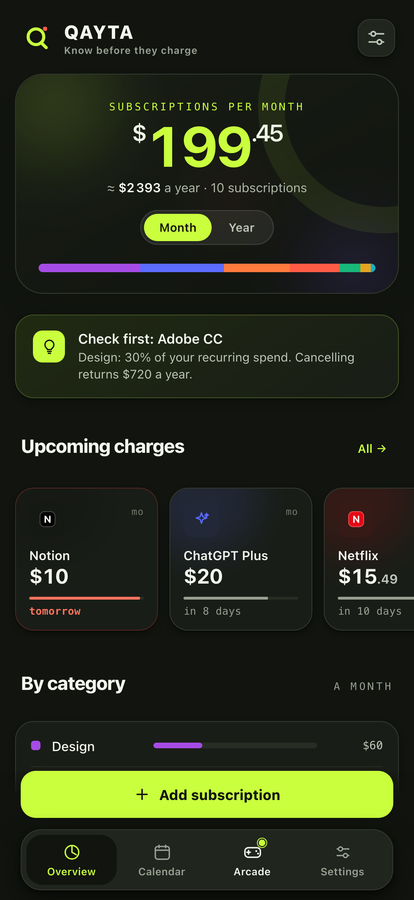
Subscriptions eat a budget quietly. One here, two there, and a few hundred a year goes to services you barely use. QAYTA puts them in order and warns you before the money leaves.
Free. No account. Nothing leaves your phone.
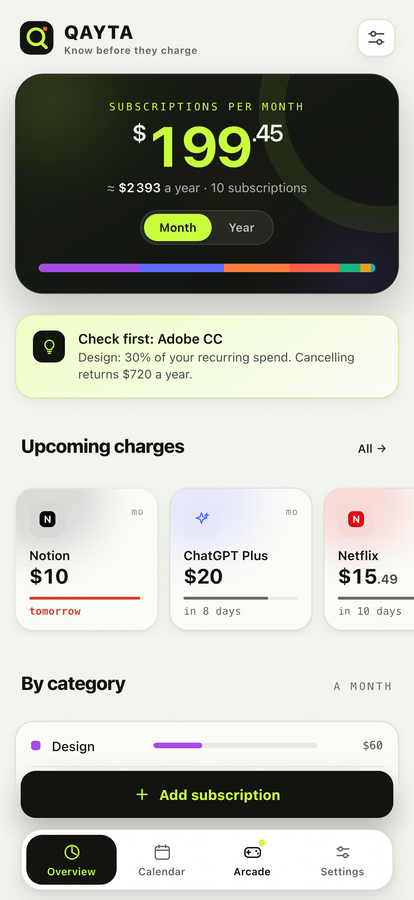
Add a subscription in a tap, and QAYTA does the arithmetic you never get around to.
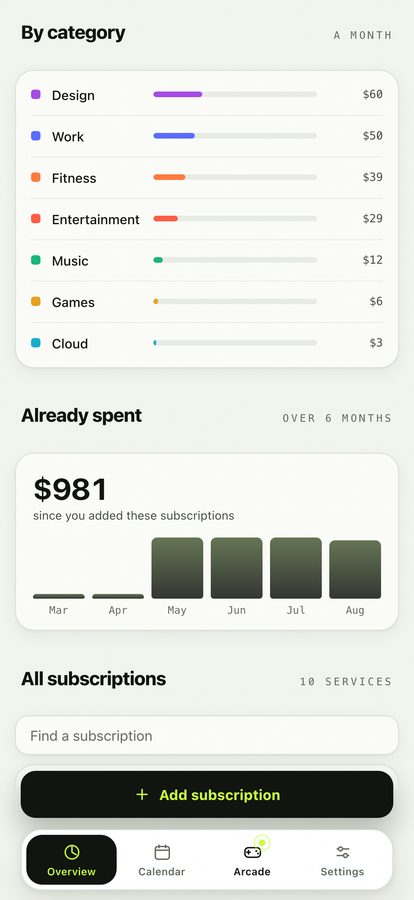
One number for the month, one for the year, and the split by category underneath.
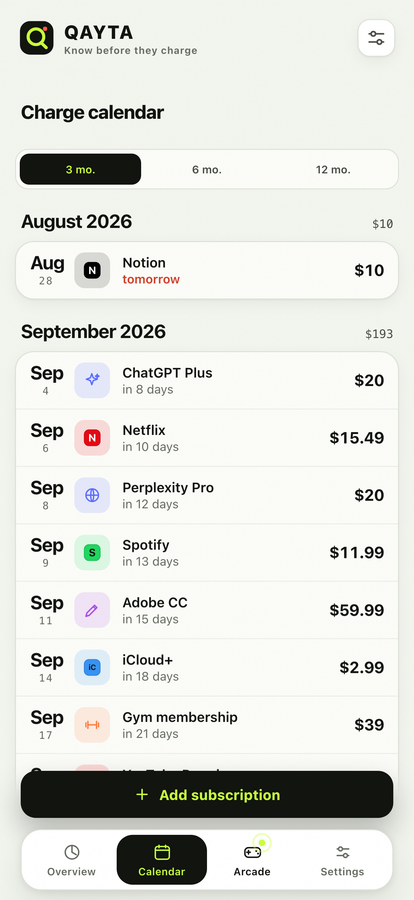
What is billed and when, on a rail you can scan in a second, and in a real calendar.
A trial gets its own push before the first charge, because that is where money is lost.
Stop counting a service without deleting its history. Cancelled stays on the record.
Each subscription in its own, with your own rate. No made-up numbers when a rate is missing.
What you have already paid, month by month, counted from real charge dates.
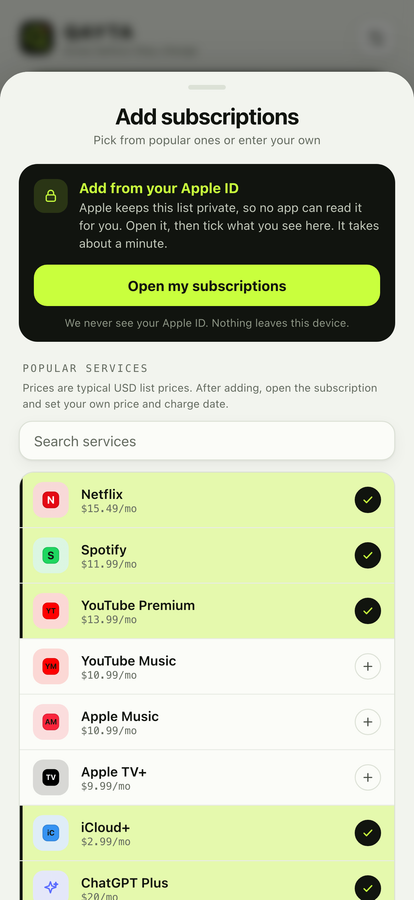
Apple keeps your subscription list private, so no app can read it for you. QAYTA opens that list in one tap; you tick what you saw, then fill prices and dates for everything at once.
This is not a promise about how carefully we handle your data. There is no server to handle it on.
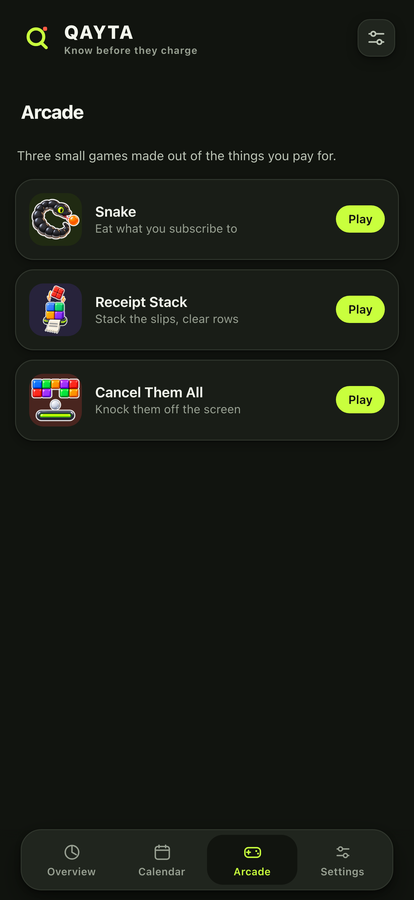
For when you are done being sensible about money. Three little games made out of the app's own artwork: a snake that eats your subscriptions, a stack of receipts, and a wall to knock down.
Because Apple keeps that list private, and no third-party app can read it. Anyone promising otherwise is either guessing from your email or asking for your bank login. QAYTA opens the system list for you in one tap and you tick what you saw. It takes about a minute, once.
No. It never goes online at all. That is also why it cannot import anything by itself, and we would rather be honest about the trade than ask for your banking credentials.
The data goes with it, because it only ever lived on your phone. Export a CSV from Settings first if you want to keep a copy.
No. There is no paywall and no subscription to track your subscriptions. The app is free thanks to occasional ads, and the ad network never sees which subscriptions you have.
Thirty-eight, and each subscription keeps its own. If you have not set a rate between two of them, QAYTA shows both sums side by side instead of inventing a total.